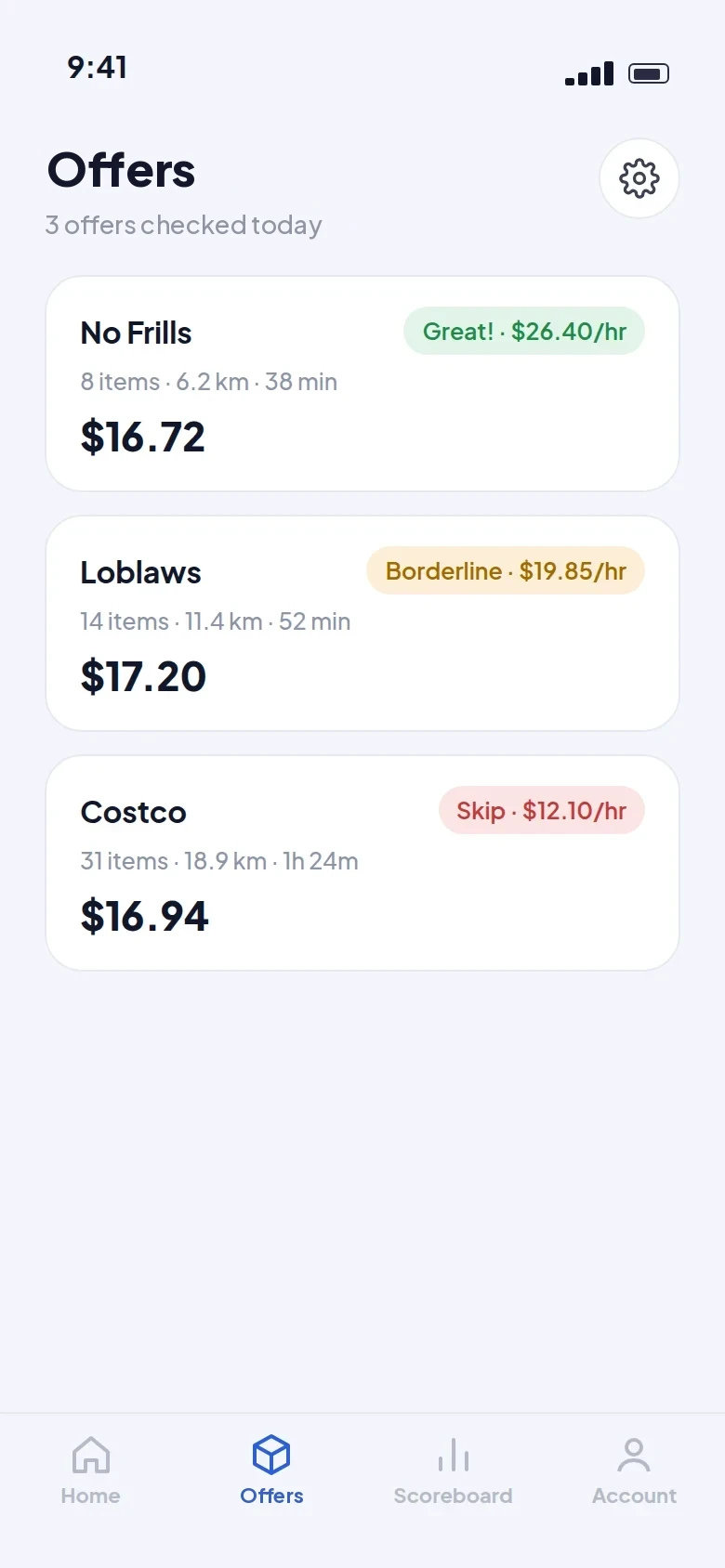
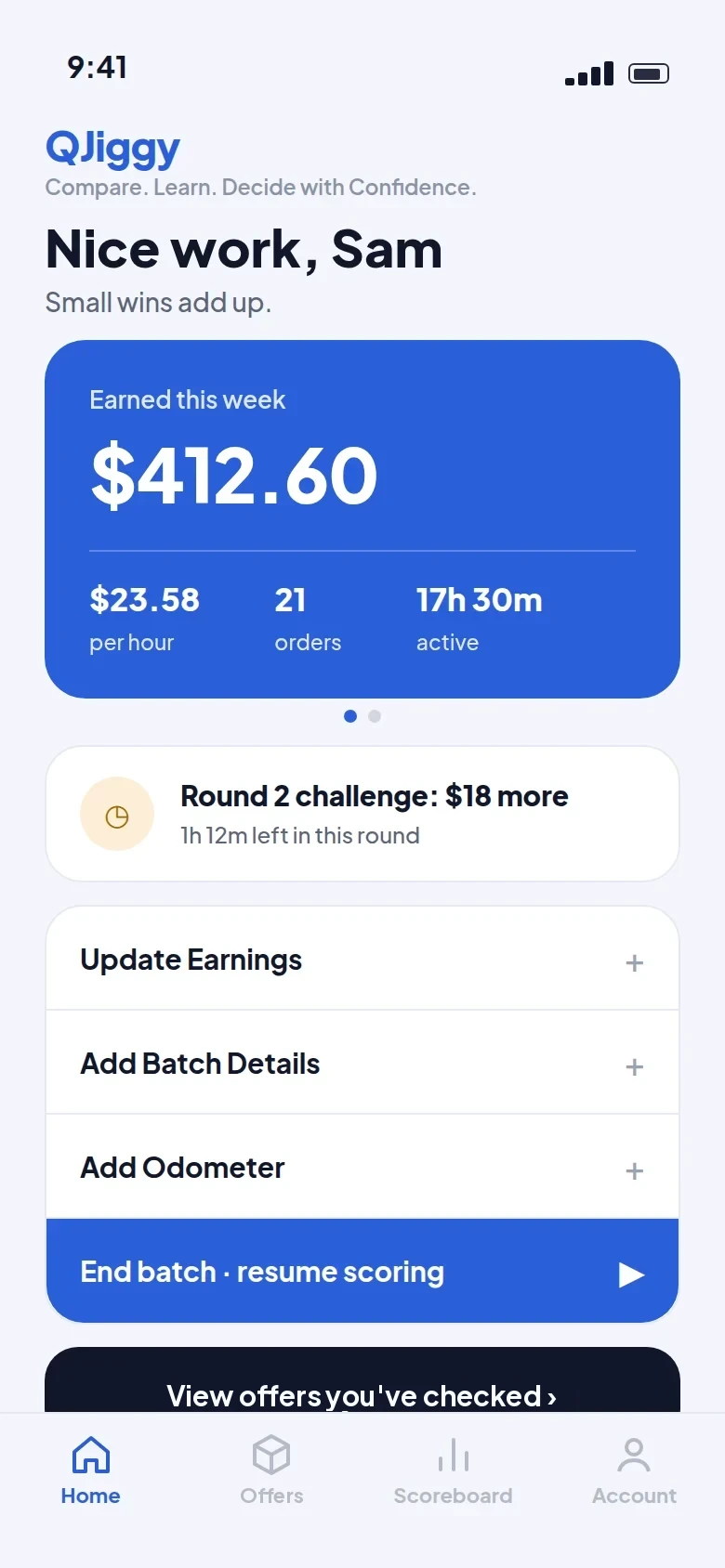
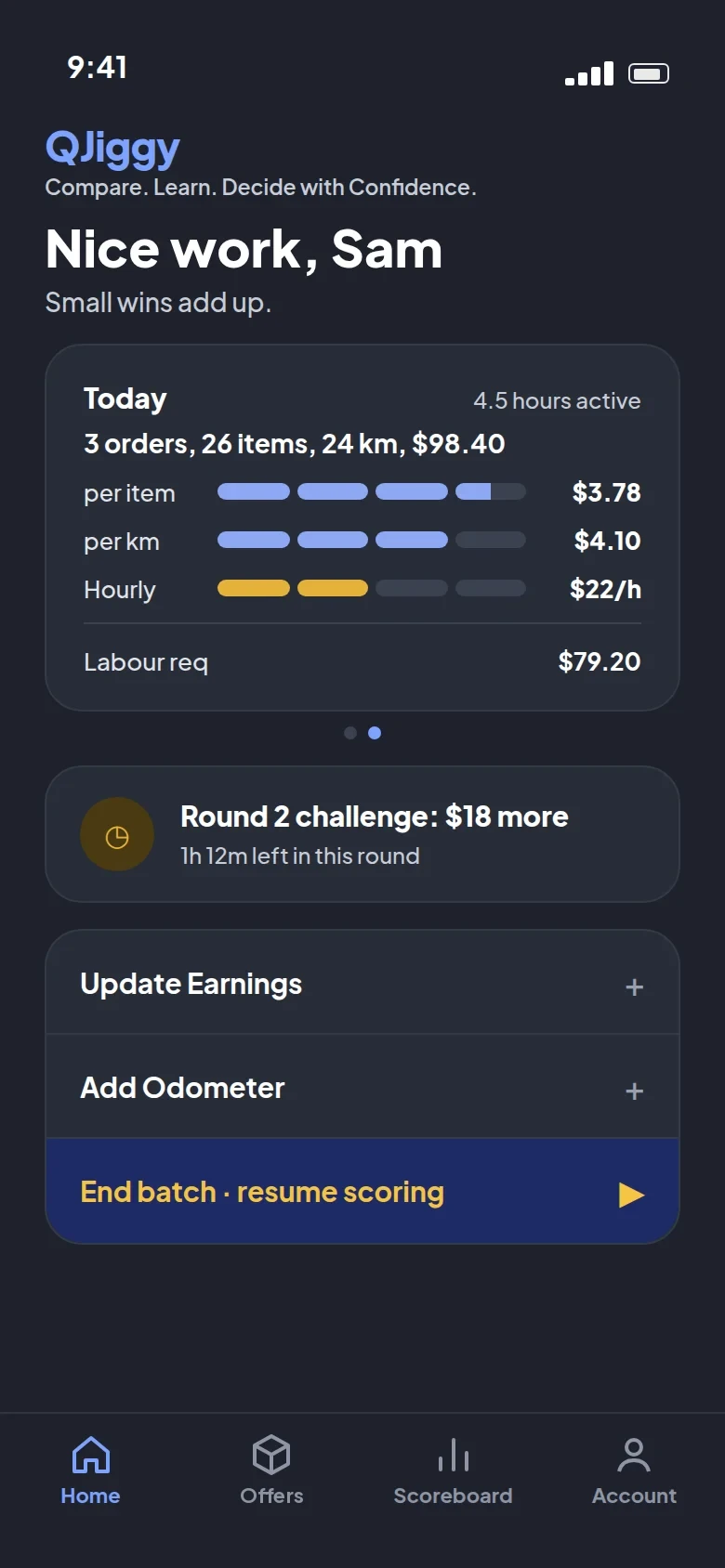
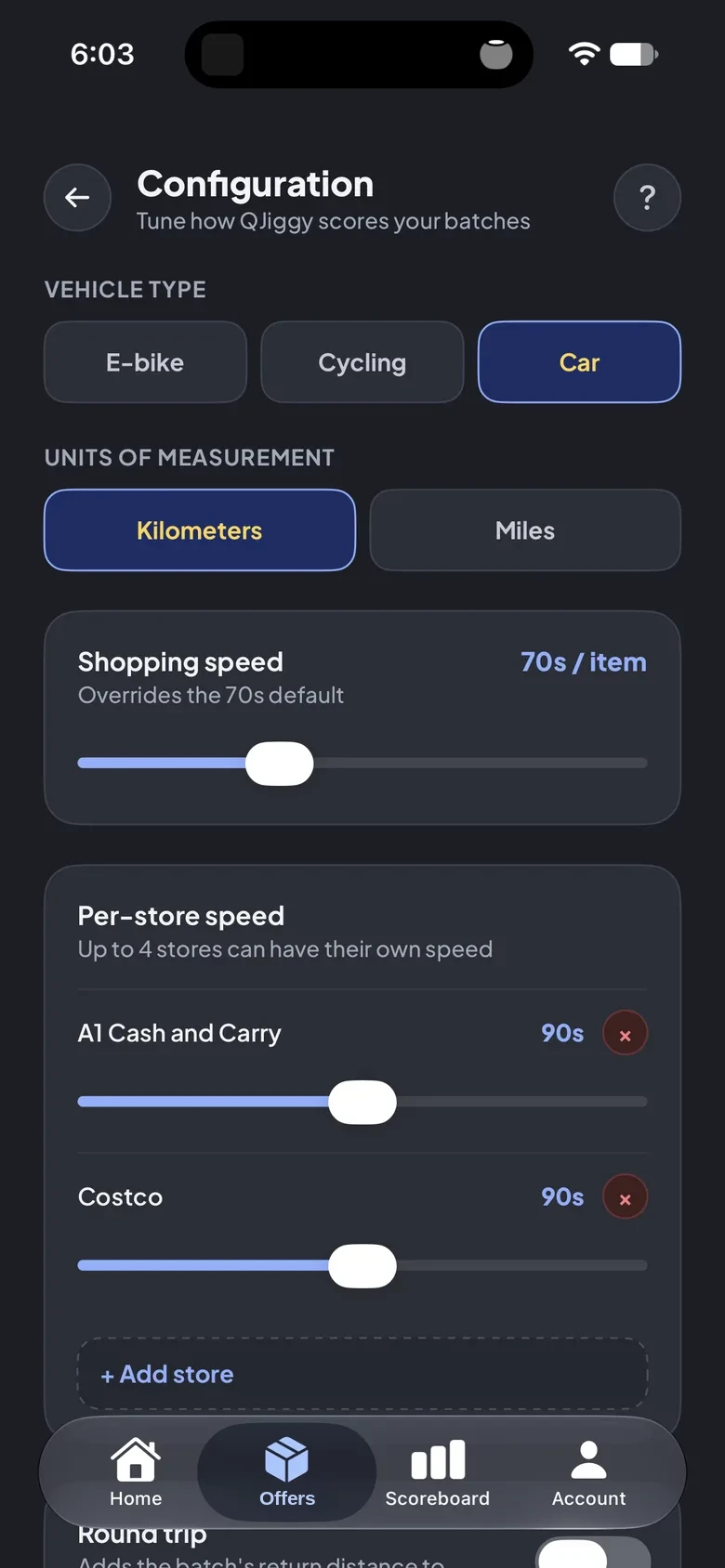
A productivity tool for Gig Workers like you!

Compare. Learn. Decide with Confidence.

Stop second-guessing. Start making better gig decisions.

How it works

Three Steps to a Better Decision.

Your phone does the work, QJiggy gives you the benchmark, and the decision is always yours.

1

Screenshot

Press the trigger button. It will screenshot then talk to QJiggy — no manual entry, no typing anything in.

2

Compare

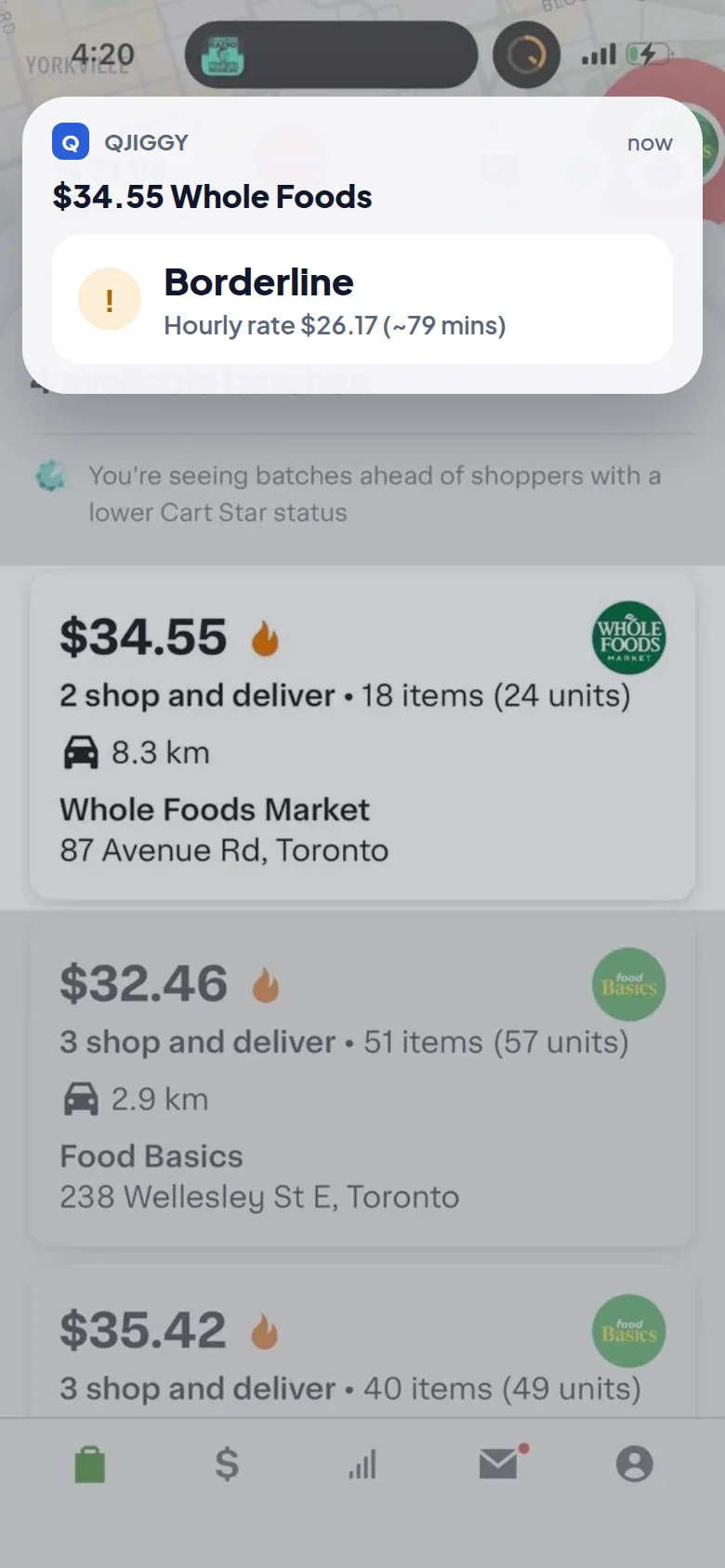
QJiggy responds with an hourly rate and time estimate, which may include travel time to the assigned location.

3

Decide

You always make the call. Try and beat the estimated time, and you'll be on your way to higher earnings!

Pricing

Start free. Grow when you're ready.

PRO and ELITE are on the roadmap — built for gig workers who want to go further.

Available now

Free

$0

Everything you need to start comparing batches today.

  • Screenshot reader
  • Get travel time to store
  • On-screen button trigger
  • Save to notifications
Get Started
Coming soon

Pro

QJiggy tuned to just how you like it.

  • Pick your ride — car, e-bike, or bike
  • Set your shopping speed per store (Costco runs are just slower — tell it that)
  • Show your rate your way — flat, minimum-wage baseline, or tip-gap view
  • Save your go-to stores so QJiggy nudges accept/decline your way
  • Count the drive back to the store too, not just the trip there
  • Dial in your own driving and unloading pace — the math moves at your speed
In Development
Future release

Elite

Everything in Pro, plus the Scoreboard.

  • Everything in Pro
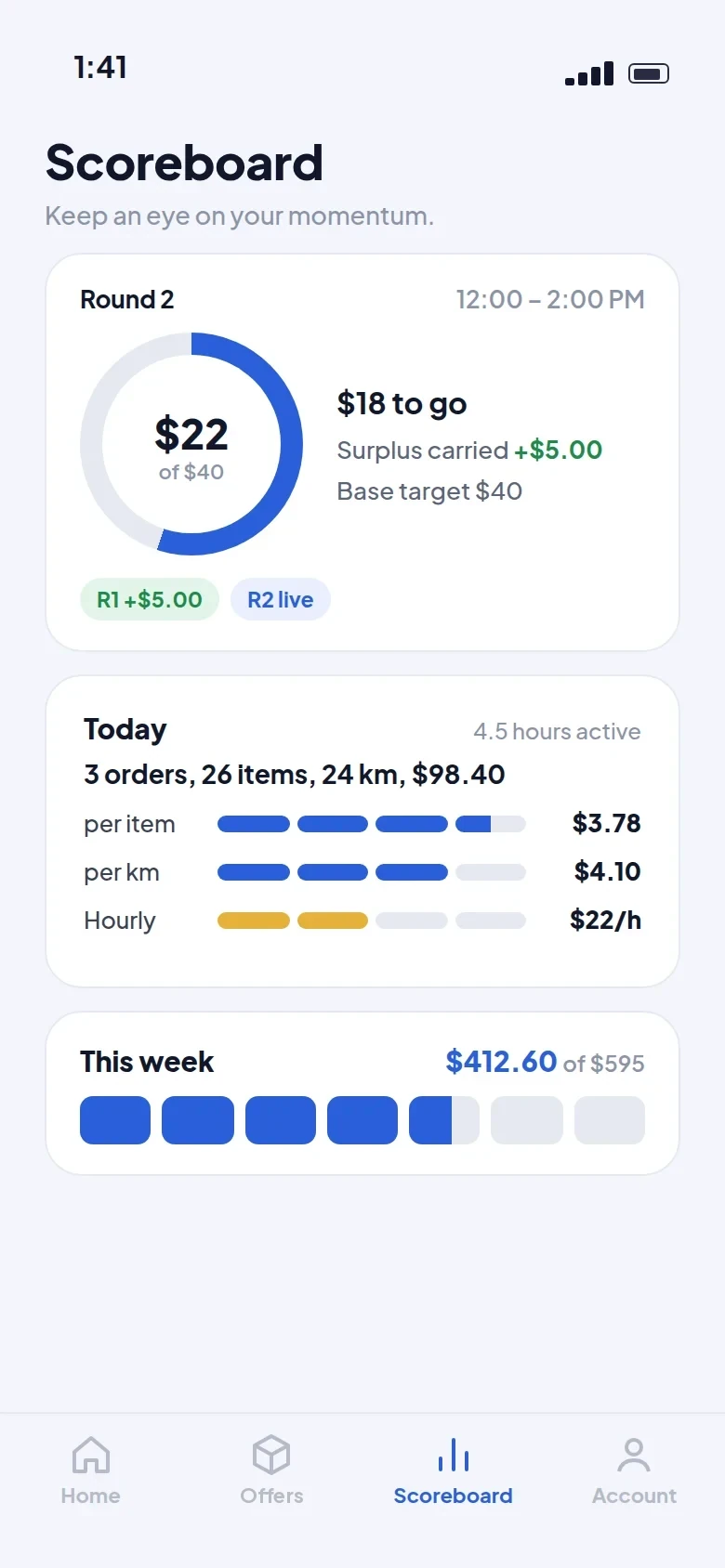
  • Scoreboard — daily progress with a weekly progress bar
  • Set your planned earnings and days
  • Track your metrics every time you complete a batch
  • Smart nudges to help you hit your daily goal
  • Share your whole setup with one signed file — no retyping for a friend
Coming Later
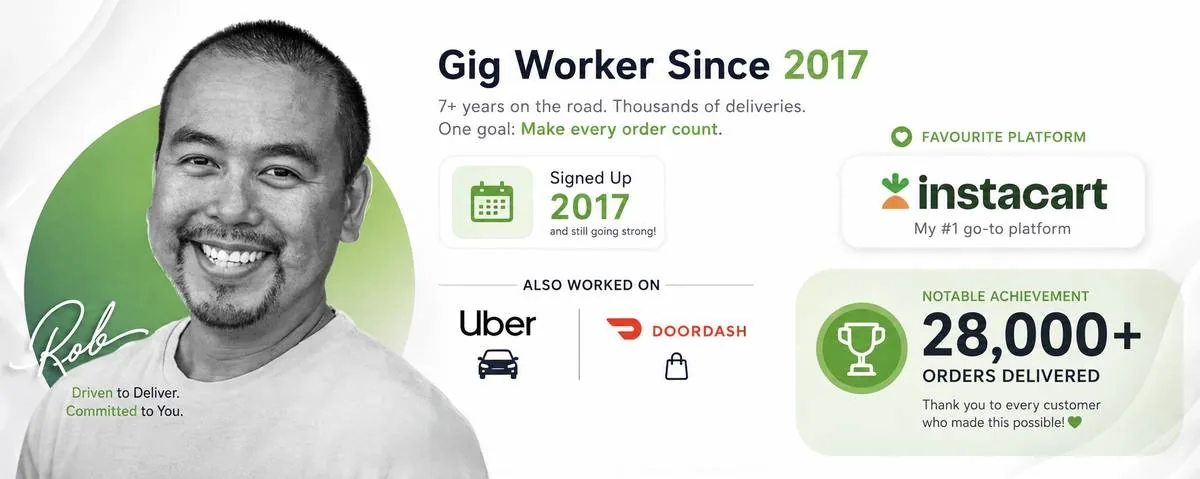
Rob — gig worker since 2017, 28,000+ orders delivered
Real gig worker, real tool

Built by RobTheShopper.

QJiggy isn't a corporate roadmap — it's built by RobTheShopper, an active gig worker who got tired of doing batch math by hand. Every feature exists because it solved a real problem on a real shift.

Follow along for behind-the-scenes builds, real batch breakdowns, and honest takes on what actually pays.

@RobTheShopper on Instagram
Why QJiggy exists

Confidence through comparison, not competition.

QJiggy was built on one belief: gig workers deserve a dependable benchmark, not a judgment call. Every batch, every number, every decision — measured against your own standard, not someone else's. That's the whole idea.

Your Best Decisions Start
With A Comparison.

Free to download. No credit card. No guesswork.

⌄ Download QJiggy Free
Products

See the batch. Know the numbers.
Decide with confidence.

QJiggy lives in tools your phone already has — press the trigger and the rest happens on its own. Here's exactly what that notification is telling you.

Batch notification reading $28.34 Batch (no location), Borderline, hourly rate $22.56, numbered 1 through 4
  1. 1

    Match the Pay and Store

    This is what QJiggy calculated from the list — match the pay and store to confirm it's the one.

  2. 2

    Travel Time Error

    Blank means no issue — travel time added without a hitch. (no location) means the address wasn't resolved, still you get a full estimate. (mapbox) shows up when Mapbox's routing resolved the travel time.

    Mapbox
  3. 3

    The Decision

    A balanced approach for this batch — Accept, Decline, or Borderline — works even better alongside Scoreboard (coming soon).

  4. 4

    Hourly Rate and Time

    Your estimated hourly rate: batch pay (tips included) divided by the estimated time.

Less guessing. More confidence.

Want to build it yourself? Visit the DIY Workshop →
Plans

One tool, three tiers.

Start free today — Pro and Elite are on the roadmap for gig workers who want to go further.

Available now

Free

$0

Everything you need to start comparing batches today — no cost, no catch.

  • Screenshot reader
  • Get travel time to store
  • On-screen button trigger
  • Save to notifications
Get Started
Coming soon

Pro

QJiggy tuned to just how you like it.

  • Pick your ride — car, e-bike, or bike
  • Set your shopping speed per store (Costco runs are just slower — tell it that)
  • Show your rate your way — flat, minimum-wage baseline, or tip-gap view
  • Save your go-to stores so QJiggy nudges accept/decline your way
  • Count the drive back to the store too, not just the trip there
  • Dial in your own driving and unloading pace — the math moves at your speed
In Development
Future release

Elite

Everything in Pro, plus the Scoreboard — turning every batch into progress toward your goal.

  • Everything in Pro
  • Scoreboard — daily progress with a weekly progress bar
  • Set your planned earnings and days
  • Track your metrics every time you complete a batch
  • Smart nudges to help you hit your daily goal
  • Share your whole setup with one signed file — no retyping for a friend
Coming Later

Set it up once,
and it does the rest.

QJiggy is free to use, customization and Scoreboard are on the way.

⌄ Get Started Free
DIY workshop

Build your own phone assistant.

No coding degree, no server to babysit — just your phone's Shortcuts app (or MacroDroid on Android) and a passion for learning.

Works with Uber and Instacart today — more platforms are on the way.

The build

From screenshot to smart notification.

Here's the exact pipeline — screenshot in, decision out. Every step happens right on your phone.

1

Snap it

Your input is just a screenshot of the batch offer. That's it — no typing, no copy-pasting.

2

Let OCR do the reading

Your phone already has a built-in OCR (optical character reader). Run it on the screenshot and you get back a big pile of raw text to work with.

3

Tidy up the mess

Raw OCR text is chaotic. A Replace Text action with a regex like .*batch earning.*\n?|\d+ km from.*|.*hidden.* (replaced with a space) clears out the noise before you touch anything else.

4

Ship it to QJiggy

An HTTP Request action sends that text as ocrText, plus your device's authorization token and location — QJiggy handles the extraction and scoring from there. Heads up — field names are still case-sensitive!

5

Get your answer back

QJiggy sends back a JSON result — Decision, hourly rate, and estimated time by default, or build your own notification from any field it returns.

Cheat sheet

Regex snippets that actually work.

Copy, paste, adjust to taste. These are the patterns doing the heavy lifting.

Clean up junk lines
.*batch earning.*\n?|\d+ km from.*|.*hidden.*
Detect the screen view
IF original text contains "looking for"
Capture text between two $ signs
[\s\S]*?\$[\s\S]*?\s*(?=\$)
Or strip everything before a $
\$[\s\S]*
The handoff

One HTTP Request. That's the whole trick.

Once your variables are captured, send them straight to QJiggy and let it do the thinking.

POST https://worker.qjiggy.com/transform ⚠️ Field names are case-sensitive — hourlyRateHourlyRate
What you send — JSON body
{
  "ocrText": "$42.18 Farm Boy\n12 items • 3.4 km away",
  "authorization": "eyJhbGciOiJFZERTQSJ9.eyJzd...…",
  "current_location_lat": 43.6532,
  "current_location_lon": -79.3832,
  "target_location_string": "Farm Boy, King St W, Toronto"
}
What you get back — JSON result
{
  "Decision" : "Borderline",
  "flag" : [
    "too much driving"
  ],
  "completionMinutes" : 114,
  "BatchPay" : 42.18,
  "hourlyRate" : 22.20,
  "distanceUnit" : "km",
  "totalDistanceKm" : 29.28,
  "storeName" : "Farm Boy"
}
Where this works today: these patterns are dialed in for Uber and Instacart. Got screenshots from another platform? Send them over and future versions can support it too.

Customizing your notification through Shortcuts or MacroDroid is fully within our Terms of Service — build away.

That's it. You just built
your own phone assistant!

Grab the ready-made version, or use this guide to build your own from scratch.

⌄ Get the Shortcut / Macro
Feedback

Help us make QJiggy better.

Something broken, or just an idea? Let us know — it goes straight to our inbox.

Account

Create your QJiggy account.

Takes under a minute — you'll need to confirm your email before your first sign-in.

Why an email? It's how we confirm it's really you and how you'll get back into your account — we're not fans of spam either. To actually run QJiggy on your phone you'll need iOS 17+ (Shortcuts app, built in) or Android with the free MacroDroid app. That's it.

Account

Sign in.

Welcome back.

Account

Reset your password.

We'll email you a link to set a new one.

My Account

Manage your profile, devices, and security.

Loading your account…

Account

Working on it…